
Epson Printer Service in Jamshedpur
If your Epson printer is not printing, showing error lights, printing blank pages, or leaving lines on every sheet, you need a proper diagnosis, not quick guesses. The Laptronics provides Epson printer service in Jamshedpur for home users, students, offices, clinics, coaching centres, and retail shops that depend on daily printing.
We work on common Epson issues like paper feed problems, nozzle clogging, printer offline errors, Wi-Fi connection failures, print quality defects, power faults, and repeated paper jams. The goal is simple: fix the root cause, test properly, and help you avoid the same issue again.
Searching for Epson Printer Service Near Me in Jamshedpur?
When people type “near me”, they usually want three things: fast help, clear communication, and a reliable repair that lasts. This page is built to answer that intent.
If your printer is urgently needed for office work, billing, school work, or reports, share your Epson model name and the problem you are seeing (error light pattern, message on screen, paper jam location, or print output issue). Based on symptoms, we can guide you on the next step before you make a visit.
Epson Printers We Service
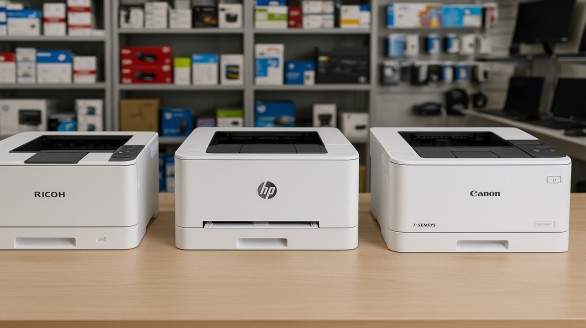
We support a wide range of Epson printers commonly used in homes and offices, including:
- Epson inkjet printers
- Epson EcoTank (ink tank) printers
- Epson laser printers
- Epson multi-function printers (print, scan, copy)
- USB and Wi-Fi printers (including network printing setups)
If you are not sure about your exact model, check the sticker on the back or bottom of the printer and note the model number.
Common Epson Printer Problems We Fix
Printer not printing or printing blank pages
This is often caused by nozzle clogging, dried ink, air gaps in ink flow, or settings and driver issues. We perform nozzle checks, cleaning cycles where needed, and confirm output with test prints.
Lines, banding, faded print, or patchy output
Common reasons include clogged nozzles, alignment problems, dirty internal strips, or low ink flow. We clean, calibrate, align, and retest until print output becomes stable.
Paper jam, paper not picking, or frequent paper feed failure
This usually happens due to dust buildup, worn rollers, paper path obstruction, or sensor issues. We clean the feed system and recommend roller replacement only when required.
Printer offline, not detected, or Wi-Fi connection problem
This may be due to driver conflicts, router changes, network settings, or cable and port issues. We restore connectivity and test printing from your laptop or desktop.
Error lights, warning messages, and repeated alerts
Some errors are caused by sensor faults, carriage movement issues, internal mechanical blocks, or service counters. We identify the root issue and repair it properly.
Slow printing, print queue stuck, or frequent hanging
This is often linked to driver corruption, spooler problems, or incorrect print settings. We fix the software side and confirm performance with real print jobs.
Smudging, ink leakage, or messy output
These issues may come from incorrect ink refilling, internal contamination, or worn pads. We clean internal sections safely and restore clean output.
A proper printer service is more than surface cleaning. Depending on the issue and model, maintenance can include:
-
Paper path cleaning and dust removal
-
Roller cleaning to improve paper pickup
-
Nozzle check and print quality testing
-
Basic alignment and calibration
-
Connectivity checks (USB and Wi-Fi)
-
Final test prints to verify output
If a part is worn or damaged, we explain the reason clearly so you know what is being replaced and why.
1) Quick inspection and symptom check
We review error lights, print samples, paper feed behaviour, and basic settings.
2) Diagnosis and recommendation
We identify the most likely cause and explain the repair approach in simple terms.
3) Repair and servicing
This may include cleaning, sensor correction, parts replacement, or power and hardware fixes depending on fault type.
4) Testing and verification
We test paper feed, print quality, and real printing from a connected device where relevant.
5) Handover with practical care tips
You get simple guidance on usage, printing frequency, paper choice, and basic maintenance.
This service is helpful for:
-
Students and families printing documents at home
-
Offices printing invoices, reports, and daily paperwork
-
Clinics and pharmacies printing prescriptions, bills, and records
-
Coaching centres and schools with frequent print cycles
-
Shops using printers for billing and product documentation
Areas We Commonly Serve in Jamshedpur
Customers often visit us from areas like Sakchi, Bistupur, Kadma, Sonari, Mango, and Adityapur. If you are coming from outside the city or nearby industrial zones, share your location and we will guide you on the best way to proceed.
Why Choose Us for Epson Printer Service
People usually come to us after wasting time on temporary fixes. We focus on repair quality and repeat issue prevention.
-
Root-cause diagnosis, not trial-and-error
-
Proper testing after service (print quality and paper feed)
-
Support for both printer and connected device setup when needed
-
Clear explanation of what failed and how it was fixed
-
Practical tips to reduce clogging, jams, and offline issues
FAQs: Epson Printer Service in Jamshedpur
How do I find Epson printer service near me in Jamshedpur?
Search results for “near me” depend heavily on location and map visibility. The fastest approach is to confirm your Epson model and issue, then visit for diagnosis and repair.
Do you service Epson EcoTank printers?
Yes, EcoTank printers are commonly serviced for print quality issues, paper feed problems, connectivity issues, and general maintenance.
Why does my Epson printer print blank pages?
Blank printing is often caused by clogged nozzles, dried ink, air gaps in ink flow, or driver and settings issues. Diagnosis with nozzle tests usually reveals the cause.
My printer shows “offline” but it is connected. What should I do?
This can happen due to driver issues, network changes, or incorrect device settings. We troubleshoot the setup and confirm printing from your device.
Can paper jams be fixed without replacing parts?
Yes. Many jams are caused by dust or paper path issues and can be fixed with cleaning and correction. If rollers are worn out, replacement may be recommended for a long-term fix.
Do you help with laptop or desktop printer setup too?
Yes. If the issue is driver-related or Wi-Fi configuration related, we can assist with device setup as well.
How can I prevent nozzle clogging in Epson printers?
Print at least once a week, avoid long idle gaps, use correct ink, and keep the printer covered from dust. We can share model-specific tips after inspection.
Do you offer regular maintenance for office printers?
Yes. Scheduled maintenance helps reduce breakdowns and keeps print quality consistent for high-volume printing.
Contact and Visit
For Epson printer service in Jamshedpur, share these details when you call or message:
Epson model name
What exactly is happening (error lights, paper jam, blank print, lines, offline)
Whether it’s USB or Wi-Fi connected
Home use or office use