
- Home
- List Item #2
Printer Repair and Service in Jamshedpur
When a printer stops working, it blocks everything. Office reports get stuck, bills do not print, school documents get delayed, and scanning becomes a headache. At The Laptronics, we provide printer repair and service in Jamshedpur for homes, offices, clinics, coaching centres, and businesses that depend on daily printing.
This hub page is built for people searching printer repair “near me” in Jamshedpur. Whether your printer is printing blank pages, showing error lights, jamming paper repeatedly, or going offline, we focus on the root cause, proper servicing, and testing before handover.

Looking for Printer Repair Near Me in Jamshedpur?
“Near me” searches usually mean you need fast help and a repair that lasts. To speed things up, share these details when you contact us:
- Printer brand and model
- What exactly is happening (paper jam, lines, blank print, offline, error lights)
- Type of printer (inkjet, laser, EcoTank, multifunction)
- USB or Wi-Fi connection
- Home use or office use, and approximate printing volume
This helps reduce repeat visits and saves time in diagnosis.
Printer Brands We Service in Jamshedpur
We support popular printer brands used in Jamshedpur, including:
- Epson
- Ricoh
- HP
- Canon
- Brother
- Samsung (selected models)
If your brand is not listed, you can still share the model details and we will guide you.
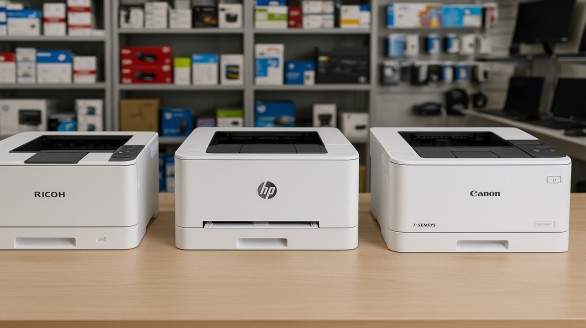
Dedicated Brand Support Pages
For deeper, brand-specific solutions, use these pages:
- Epson Printer Service in Jamshedpur (print quality, nozzles, paper feed, offline)
- Ricoh Service Centre in Jamshedpur (copier jams, streaks, error codes, network printing)
- Ricoh Printer Dealer in Jamshedpur (supply, setup, office copier selection)
These pages help you find the exact solution faster and also help you compare options clearly.
Types of Printers We Repair
Inkjet Printers
Common in homes and small offices. Issues often involve nozzle clogs, faded prints, and frequent cleaning needs.
Laser Printers
Used for faster printing in offices. Issues often involve print defects, paper handling, and consumable-related problems.
EcoTank and Ink Tank Printers
High-volume users prefer these, but they can face ink flow issues, clogging due to long idle gaps, and paper feed problems.
Multi-Function Printers (MFP)
Print, scan, and copy devices. We handle both printing issues and scan or copy workflow issues.
Office Copiers
Often used in accounts and admin teams. These need stable paper handling and consistent output quality.
Common Printer Problems We Fix
Paper jam and repeated paper feed issues
Paper jams are usually caused by dust buildup, worn rollers, incorrect paper loading, or sensor issues. We inspect the full feed path, clean properly, and suggest roller replacement only when required.
Printer not printing or printing blank pages
Blank pages can be caused by clogged heads, ink flow problems, driver issues, or incorrect print settings. We test output, run checks, and repair accordingly.
Lines, streaks, banding, or faded output
Print defects often come from nozzle issues, internal dust, alignment problems, or consumable-related faults. We diagnose using print samples and fix the cause.
Printer offline, not detected, or connection problems
This happens commonly due to driver conflicts, cable faults, network changes, or router settings. We restore stable connectivity and test printing from your device.
Slow printing, queue stuck, or frequent hanging
Sometimes the printer is fine but the system settings cause problems. We troubleshoot print queue, drivers, and settings to restore smooth printing.
Error lights and warning messages
Error lights can indicate jam sensors, carriage movement issues, service alerts, or internal faults. We diagnose the reason instead of relying only on resets.
Scan and copy issues (for MFP and copiers)
Scanning may fail due to incorrect configuration, driver issues, or network path changes. We help fix scanning workflows based on your setup.
Printer Cleaning and Maintenance Service
Routine service prevents breakdowns and improves print quality. Maintenance may include:
- Cleaning paper feed rollers and paper path
- Internal dust removal and inspection
- Print quality checks and calibration where needed
- Connectivity checks (USB or Wi-Fi)
- Test prints to confirm stable output
- Practical guidance on paper handling and printing frequency
For offices with daily printing, preventive maintenance reduces downtime and keeps your workflow stable.
Our Printer Repair Process
1) Initial check and symptom review
You share the issue, we check the printer behaviour and visible error indicators.
2) Diagnosis and recommended fix
We identify what is causing the issue and explain what needs to be done.
3) Repair or servicing
Cleaning, parts replacement, sensor correction, or setup troubleshooting depending on the fault.
4) Testing before handover
We verify paper feed stability, print output, and connectivity where required.
5) Handover and care tips
You receive simple tips to reduce repeat jams, clogs, and offline issues.
Who This Printer Repair Service Is For
This service is useful for:
- Students and home users printing documents
- Shops printing bills and invoices
- Offices printing daily reports and paperwork
- Clinics and pharmacies printing records and bills
- Coaching centres and schools with regular printing needs
Areas We Serve in Jamshedpur
Customers visit from Sakchi, Bistupur, Kadma, Sonari, Mango, and Adityapur. If you are calling from nearby areas outside the city, share your location and the printer problem and we will guide you on the next step.
Why Choose The Laptronics for Printer Repair in Jamshedpur
- Diagnosis-first approach to avoid repeat issues
- Proper servicing and testing before delivery
- Support for printer and device setup when needed
- Clear explanation of faults and practical care guidance
- Service support for both home and office printing needs

FAQ
FAQs: Printer Repair in Jamshedpur
How do I find printer repair near me in Jamshedpur?
“Near me” results depend on your location and map visibility. The fastest way is to share your printer model and problem, then visit for diagnosis and repair.
Do you repair Epson printers in Jamshedpur?
Yes. We provide Epson printer service for print quality issues, paper feed problems, and connectivity issues.
Do you repair Ricoh copiers and office printers?
Yes. We service Ricoh devices for jams, print defects, error codes, and network printing issues.
My printer is printing blank pages. What is the usual reason?
Common reasons include nozzle clogs, ink flow problems, or driver and settings issues. Diagnosis confirms the root cause.
Why does my printer keep going offline?
This can happen due to driver issues, network changes, router settings, or cable faults. We troubleshoot and restore stable printing.
Do you offer preventive maintenance for offices?
Yes. Regular maintenance reduces breakdowns and keeps print quality consistent, especially for high-volume printing.
Can you help with printer setup on my laptop or PC?
Yes. If the printer is fine but not printing due to driver or settings issues, we can help with setup and configuration.
How long does printer repair usually take?
It depends on the issue and parts requirement. After diagnosis, we can provide a clear estimate.
Contact and Visit
To get quick help, share:
- Printer brand and model
- The exact issue (jam, blank print, lines, offline, error lights)
- USB or Wi-Fi connection
- Home or office use, and approximate volume