
- List Item #2
Ricoh Service Centre in Jamshedpur
A Ricoh printer or copier is built for high-volume office work, but when it starts jamming paper, showing error codes, printing faint pages, or going offline repeatedly, your office workflow can come to a halt. The Laptronics provides Ricoh service in Jamshedpur with practical diagnosis, proper servicing, and testing so your device runs reliably again.
This page is for businesses searching “Ricoh service centre Jamshedpur” because they need support that is fast, clear, and focused on reducing repeat breakdowns. We handle common Ricoh issues across office printers and multifunction copiers used by clinics, schools, CA offices, corporate teams, and front offices.

Searching for Ricoh Service Centre Near Me in Jamshedpur?
When people search “near me”, they usually need immediate help because printing or scanning is part of daily operations. If your Ricoh device is critical for billing, reports, admin work, or patient documentation, share:
- Model number
- Problem symptoms (paper jam location, error code, print defect type)
- Approximate daily or monthly print volume
- Whether issue happens during print, scan, or copy
This helps shorten diagnosis time and improves the accuracy of the fix.
Ricoh Devices We Service
We service commonly used Ricoh office devices including:
- Ricoh multifunction printers (print, scan, copy)
- Ricoh office copiers used for daily admin printing
- Ricoh laser printers for fast document printing
- Network-enabled Ricoh printers used by shared teams
- Devices used in clinics, coaching centres, schools, and businesses
If you are unsure about the model, it is usually printed on the front panel or inside the paper tray area.
Common Ricoh Printer and Copier Problems We Fix
Paper jam and repeated paper feed issues
Paper jams are often caused by dust buildup, worn rollers, misaligned trays, humidity-damaged paper, or sensor issues. We inspect the feed path, clean properly, and replace worn rollers only when required.
Print quality issues (lines, streaks, fading, smudging)
These problems can come from toner and drum-related issues, dirty internal rollers, contamination, or incorrect settings. We identify whether the cause is consumable-related or mechanical, then service and test the output.
Error codes and warning messages
Ricoh devices display errors for different reasons, including sensor faults, mechanical blocks, paper feed problems, or internal system alerts. We diagnose the cause rather than applying quick resets that don’t solve the real issue.
Printer offline, not connecting, or network printing problems
Offices often face connectivity problems due to driver conflicts, network changes, IP conflicts, or incorrect settings. We restore stable printing and confirm it works across the required systems.
Scanner issues and scan-to-email or scan-to-folder problems
Scanning fails when settings are incorrect, credentials change, or network paths get modified. We help fix scanning configuration based on your setup.
Slow printing or frequent hanging
Sometimes the device is fine but the workflow fails due to print queue issues, driver mismatches, or heavy print settings. We troubleshoot both device and system-side causes.
Tray problems, misfeeds, and paper size detection issues
Incorrect tray detection or alignment can cause misfeeds and jams. We correct alignment and sensor behaviour so paper handling becomes stable.
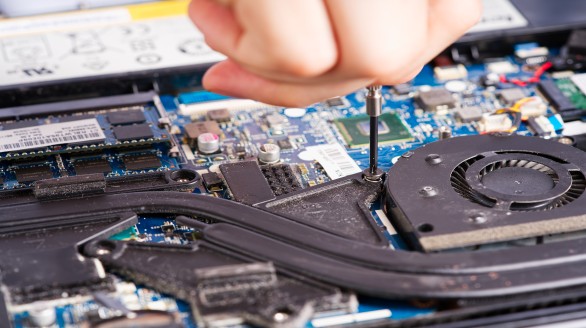
Ricoh Preventive Maintenance Service for Offices
If your Ricoh device runs daily, preventive maintenance reduces breakdowns, improves print quality, and extends working life. A proper servicing routine may include:
- Cleaning of paper feed path and rollers
- Checking tray alignment and pickup mechanism
- Cleaning internal dust accumulation (common in office environments)
- Print quality verification and calibration checks
- Connectivity stability checks for office network printing
- Guidance on paper handling and usage patterns that reduce jams
This is especially helpful for clinics, coaching centres, and offices printing daily reports, bills, and documents.
Our Ricoh Repair Process
1) Symptom review and device inspection
We check jam location, error messages, print output samples, and device behaviour.
2) Diagnosis and recommended fix
We explain what’s causing the issue and what repair will solve it.
3) Repair and servicing
Cleaning, sensor correction, parts replacement, or setup troubleshooting based on fault type.
4) Testing and verification
We verify paper feed stability, print output quality, and network printing where needed.
5) Handover with care tips
You get clear guidance on paper quality, tray usage, cleaning frequency, and settings.
Who Typically Needs Ricoh Service in Jamshedpur
Ricoh service is commonly needed by:
- Clinics, hospitals, and diagnostic centres
- Schools, colleges, and coaching institutes
- CA offices, legal offices, consultants
- Corporate offices and admin teams
- Retail billing counters and back offices
- Offices with shared network printing setups
If your device is used by multiple people daily, regular servicing helps reduce downtime.
Areas We Commonly Serve in Jamshedpur
We support customers from Sakchi, Bistupur, Kadma, Sonari, Mango, and Adityapur, and nearby zones where offices commonly operate. If you are outside the main city area, share your location and device issue and we will guide you accordingly.
Why Choose The Laptronics for Ricoh Repair
- Practical diagnosis focused on the root cause
- Service that prioritizes stability and repeat issue reduction
- Proper testing after repair, not just “it looks fine”
- Support for both device issues and connected PC/network printing setup
- Clear explanation of faults and maintenance guidance
Note: We do not claim “authorised service centre” unless officially verifiable. We focus on experienced repair and reliable day-to-day support.

FAQ
FAQs: Ricoh Service Centre Jamshedpur
Do you repair Ricoh copiers in Jamshedpur?
Yes. We service Ricoh copiers and multifunction printers for common office issues like jams, print defects, and connectivity failures.
My Ricoh copier keeps jamming paper. What is the usual reason?
Common reasons include worn rollers, dust, tray alignment issues, or paper quality problems. Diagnosis usually reveals the exact cause quickly.
Why does my Ricoh print look faded or have lines?
This may be caused by consumables, internal contamination, or mechanical wear. We check output samples and service accordingly.
My Ricoh printer is showing an error code. Should I reset it?
A reset may clear temporary errors, but repeated errors usually indicate an underlying issue. It’s better to diagnose the cause to prevent breakdowns.
Can you fix Ricoh printer offline and network printing problems?
Yes. We troubleshoot device and system settings so the printer works reliably on your office network.
Do you provide preventive maintenance for offices?
Yes. Regular servicing reduces downtime and keeps print quality consistent, especially for high-usage devices.
What details should I share before bringing the device?
Model name, error message or code, and what exactly happens during print or scan. If possible, share a photo of the error screen.
Do you support scanning issues too?
Yes. We help resolve scan setup problems including scan-to-email or scan-to-folder based on your office configuration.
Contact and Visit
For Ricoh service in Jamshedpur, share:
- Ricoh model name
- Error message or code (if any)
- Issue type (jam, print quality, offline, scan problem)
Whether the device is used daily and approx. print volume